
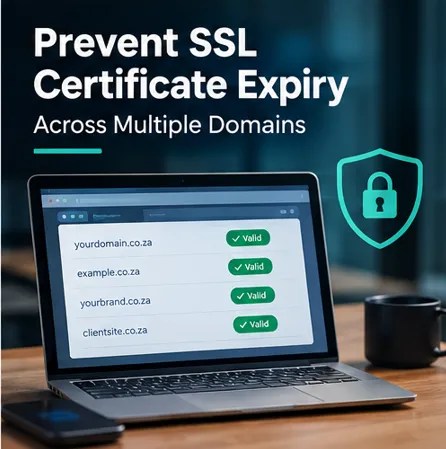
An expired SSL/TLS certificate can cause websites, APIs and applications to become inaccessible or display security warnings. SSL certificate expiry is an important issue every site owner should monitor to ensure uninterrupted and secure access.
Managing one certificate manually may be straightforward. However, managing dozens or hundreds across multiple domains, servers, applications and business units is very different. Furthermore, certificate management is becoming increasingly automated by necessity.
Certificate validity periods are getting shorter
Certificate lifecycle management became especially important in 2026. Under current CA/Browser Forum requirements, publicly trusted subscriber certificates issued from 15 March 2026 to 14 March 2027 have a maximum validity of 200 days. This period then falls to 100 days from 15 March 2027 and to 47 days from 15 March 2029.
As a result, organisations relying entirely on annual manual renewal processes need to reconsider how certificates are managed. Instead, the objective should increasingly be: Discover -> monitor -> renew -> deploy -> verify automatically.
Why SSL certificates expire unexpectedly
- Certificates purchased by different departments
- No central certificate inventory
- Employee turnover
- Renewal emails going to former employees
- Certificates installed on forgotten servers
- Manual deployment processes
- Unknown subdomains
- Multiple Certificate Authorities
- Certificates used by APIs and appliances that IT teams do not track centrally
Step 1: Create a central certificate inventory
First, the organisation needs visibility. Document:
- Domain
- Subdomain
- Certificate Authority
- Certificate type
- Expiry date
- Server or application
- Responsible owner
- Renewal method
- Deployment location
Additionally, certificate discovery tools can make this substantially easier in complex environments.
Step 2: Centralise certificate management
Once visibility has been established, managing certificates from one platform allows administrators to monitor certificate status rather than logging into multiple systems. In turn, centralisation can provide:
- Certificate inventory
- Expiry monitoring
- Role-based administration
- Renewal visibility
- Reporting
- Certificate discovery
- Policy enforcement
Step 3: Use ACME automation
The Automated Certificate Management Environment (ACME) protocol can automate significant portions of the certificate lifecycle. For example, DigiCert supports ACME-based automation for certificate enrolment, renewal, reissuance and other lifecycle activities in its certificate-management platforms.
Instead of an administrator manually requesting the certificate, generating the CSR, completing validation, downloading the certificate, installing it and repeating the process months later, automation can handle much of the lifecycle.
Step 4: Configure automated renewal
Next, do not wait until the expiry date. Certificate-management platforms can initiate renewal before expiration and automatically deploy certificates to supported locations. As a result, automation reduces dependence on somebody remembering to act on an email notification.
Step 5: Maintain validation readiness
Although automation can simplify certificate management, it does not eliminate certificate validation requirements. Automated issuance still depends on required domain-control validation and, for OV and EV certificates, relevant organisation validation requirements. Therefore, businesses should ensure validation information remains current.
Step 6: Monitor certificates even after automation
Even with automation in place, certificate management should still be monitored. Organisations should alert on:
- Certificates approaching expiry
- Failed renewals
- Failed deployments
- Validation problems
- Unexpected certificates
- Weak cryptographic configurations
Ultimately, the aim is to detect an automation failure well before it turns into an outage.
Step 7: Define certificate ownership
Finally, every certificate should have an accountable owner. Avoid relying on a single employee’s email inbox. Instead, certificate management should become an organisational process with clear ownership, escalation and visibility.
Why spreadsheets will become increasingly difficult
Consider an organisation managing 100 certificates. As certificate lifetimes become shorter, the same environment can require several times more certificate lifecycle events. Consequently, at scale, automation moves from convenience to operational necessity.
Build a certificate lifecycle management strategy
A mature approach should cover discovery -> inventory -> ownership -> validation -> issuance -> deployment -> monitoring -> renewal -> revocation. By following this lifecycle, organisations can reduce the risk of unexpected certificate outages while also improving governance across the organisation.
SSL/TLS lifecycle management with Prima Secure
Prima Secure supports businesses managing SSL/TLS certificates across complex environments using technologies including DigiCert CertCentral and certificate lifecycle automation. As a result, we can help organisations consolidate certificate visibility, implement ACME automation, manage validation and reduce the operational burden associated with increasingly short certificate lifetimes. Whether you manage ten certificates or hundreds across multiple domains, applications and countries, the objective is the same: no unexpected certificate expiry.
Contact Prima Secure to discuss SSL/TLS certificate discovery, lifecycle management and automated renewal.